

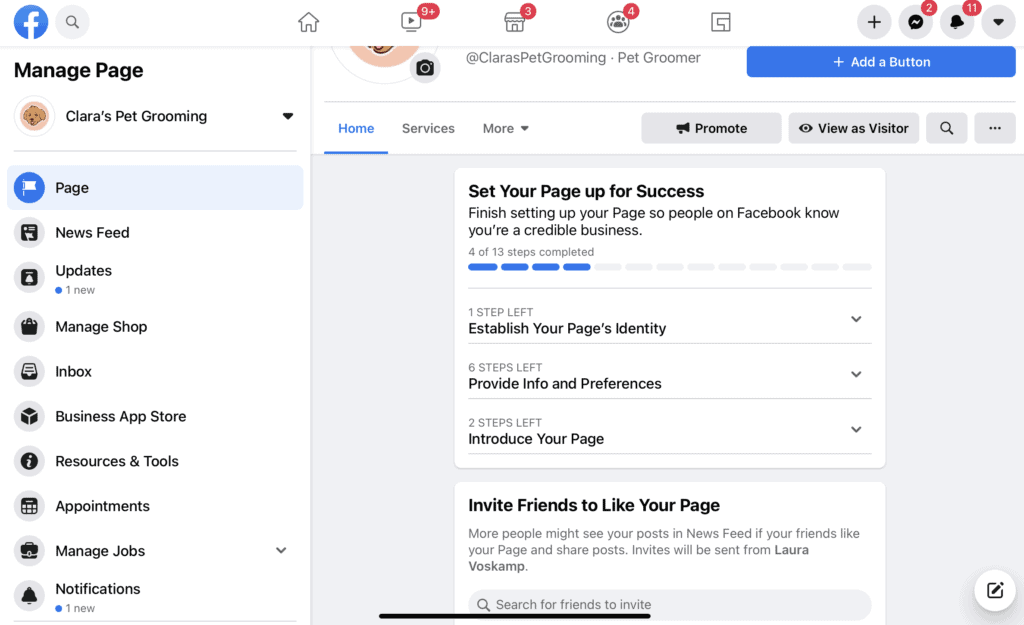
In this course, social media’s essentials for business are introduced to provide learners with the foundational understanding required to promote their small business on major social media platforms.
Note: As this is an introductory course, it will not discuss advanced features such as paid advertising or commerce listings on any platform.
Course Content
Lesson 1: Getting Started with Facebook
You don't currently have access to this content
7 Tasks
1. Setting Up a Facebook Business Page
You don't currently have access to this content
2. Filling In Your Description
You don't currently have access to this content
3. Adding your Profile + Cover Images
You don't currently have access to this content
4. Choosing Your Facebook URL/Username
You don't currently have access to this content
5. Filling In Your Page Details
You don't currently have access to this content
6. Sharing Your Business Story
You don't currently have access to this content
7. Navigating Facebook’s Business Tools
You don't currently have access to this content
Lesson 2: Getting Started with Instagram
You don't currently have access to this content
3 Tasks
1. Signing up for Instagram
You don't currently have access to this content
2. Switching to a business account
You don't currently have access to this content
3. Completing and Optimizing Your Business Profile
You don't currently have access to this content
Lesson 3: Getting Started with Google My Business
You don't currently have access to this content
9 Tasks
1. Creating a new Google My Business Listing
You don't currently have access to this content
2. Adding Your Location and Address
You don't currently have access to this content
3. Choosing your category
You don't currently have access to this content
4. Adding your business phone number and website
You don't currently have access to this content
5. Verifying your business
You don't currently have access to this content
6. Optimizing your Google My Business listing
You don't currently have access to this content
7. Adding Photos to Your Listing
You don't currently have access to this content
8. Encouraging Reviews
You don't currently have access to this content
9. Keeping your Google My Business Listing Up-to-Date
You don't currently have access to this content
Lesson 4: Conducting a Social Media Audit
You don't currently have access to this content
4 Tasks
1. Set up a blank spreadsheet
You don't currently have access to this content
2. Open a browser window and begin to search for all of your existing business accounts
You don't currently have access to this content
3. Check for consistency across accounts
You don't currently have access to this content
4. Widen your net
You don't currently have access to this content
Lesson 5: Understanding Your Ideal Audience
You don't currently have access to this content
2 Tasks
1. Find out more about your current audience
You don't currently have access to this content
2. Consider how you will speak with your newly identified “Ideal Audience.”
You don't currently have access to this content
Lesson 6: Figuring Out What to Publish on Social Media
You don't currently have access to this content
5 Tasks
1. In a blank doc or note, write down at least three ideas or topics you want to post
You don't currently have access to this content
2. For each topic you wrote down, choose a goal for your posts that relates to action for your audience
You don't currently have access to this content
3. For each of the goals, write down a few ideas for accomplishing it
You don't currently have access to this content
4. For each idea, come up with at least one way to translate it into a social media post
You don't currently have access to this content
5. Repeat the process for each of your ideas and take time each month to refresh your ideas and come up with seasonal content.
You don't currently have access to this content
Lesson 7: Reviewing Your Performance on Social Media
You don't currently have access to this content
4 Tasks
1. Familiarize yourself with Facebook Page Insights
You don't currently have access to this content
2. Familiarize yourself with Instagram Insights
You don't currently have access to this content
3. Review your Google My Business performance
You don't currently have access to this content
4. Identify opportunities to improve and outline how you will redirect your efforts to do so.
You don't currently have access to this content
